
.png)
1) The order must be for firearms or SOT items only.
a) SOT items must be on orders by themselves.
b) These Brands are not allowed to be drop-shipped.
- Browning
- Glock
- FN
- IWI US
- Marlin
- Outdoor Edge
- Ruger
- Sigarms
- Smith & Wesson
- Springfield Armory
- Winchester
2) The items must be fully in-stock. No back orders allowed.
3) The only Addon will be a fixed $12.50 fee.
4) No Shipping charge.
5) No minimum order size.
Step-by-Step instructions:
1) Login to the website.
2) Place firearms/SOT items into the cart. Only in-stock items!
3) Go to the Cart - Below is an example:
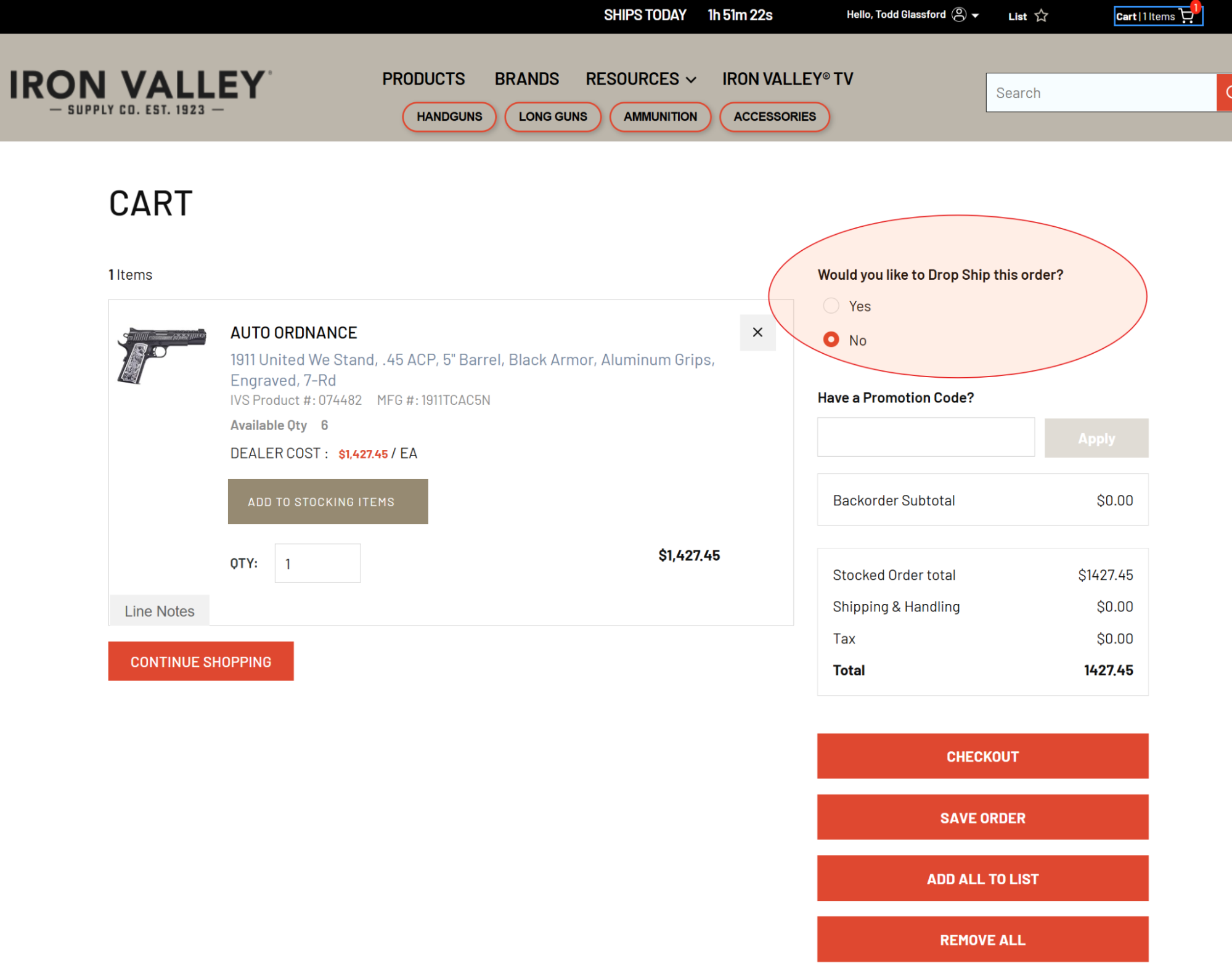
Note the circled area. This is a new option available to allow the user to select “Drop Ship.” The “Yes” option is only available if the products in the cart meet the allowed conditions for drop shipping.
When “Yes” is selected a new box will appear below the circled area ask the user to choose a drop ship location:
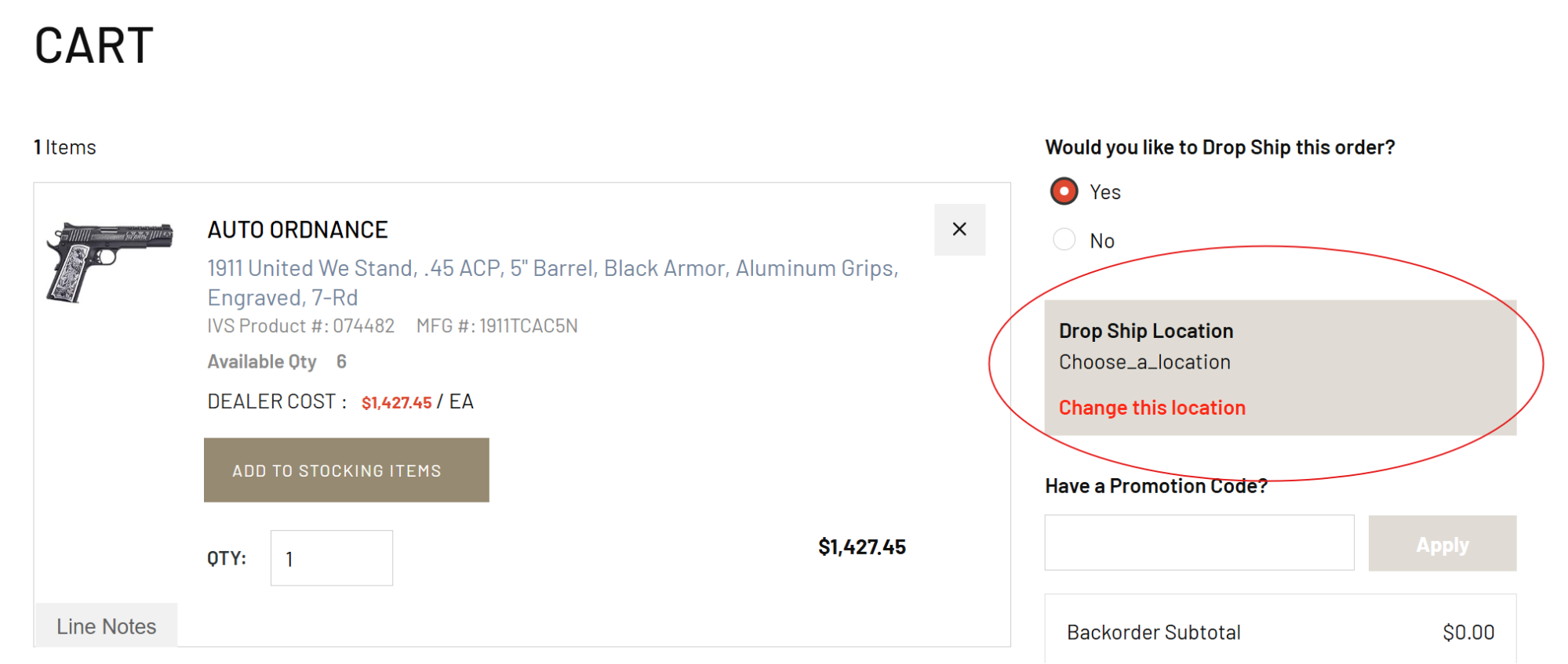
When the user clicks the “Change this location” link, they will be presented with a Map Picker dialog box:
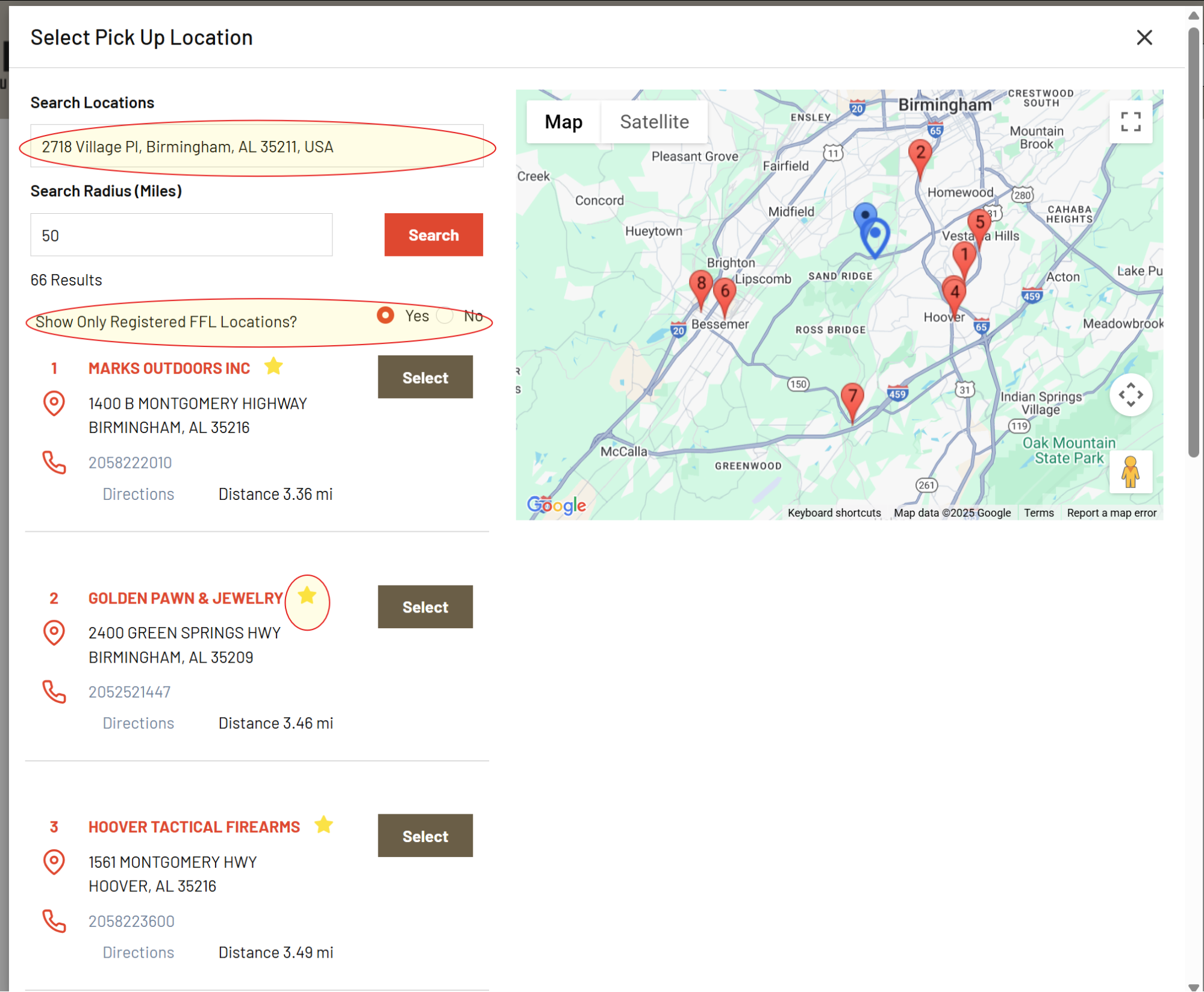
A few notes:
This map contains virtually every FFL holder’s address in the lower 48 states. The list is updated daily based on ATF’s EzCheck database.
The top highlight circle is the search location. By default the application tries to use the user’s current location. This is not always accurate, it's just the best guess based on several pieces of local information from the user's computer. The user can simply type in a full address, a partial address or just a zip code to find all of the FFL holders within “x” number of miles of the address in the search bar.
The second highlighted circle indicates a preference for the resulting list of FFL holders. It allows the user to see just the “Registered with Iron Valley” FFL holders. These are FFL holders whose FFL certificate is on file with Iron Valley. If the user picks one of these locations, the website will not require the user to upload a copy of the FFL document. This of course makes it much easier for the order to be processed. By default, this option is set to “Yes”. If the user clicks the “No” option the list will refresh and all known FFL holders will be displayed.
The last highlighted item is a gold star next to the FFL Holder’s name. This indicates that this is a Registered FFL. Of course, with the option to show only Registered FFL holders selected as “Yes” every location listed will have the gold star. But when that option is changed to “No”, the gold star only appears on the registered FFL Holders.
Example:
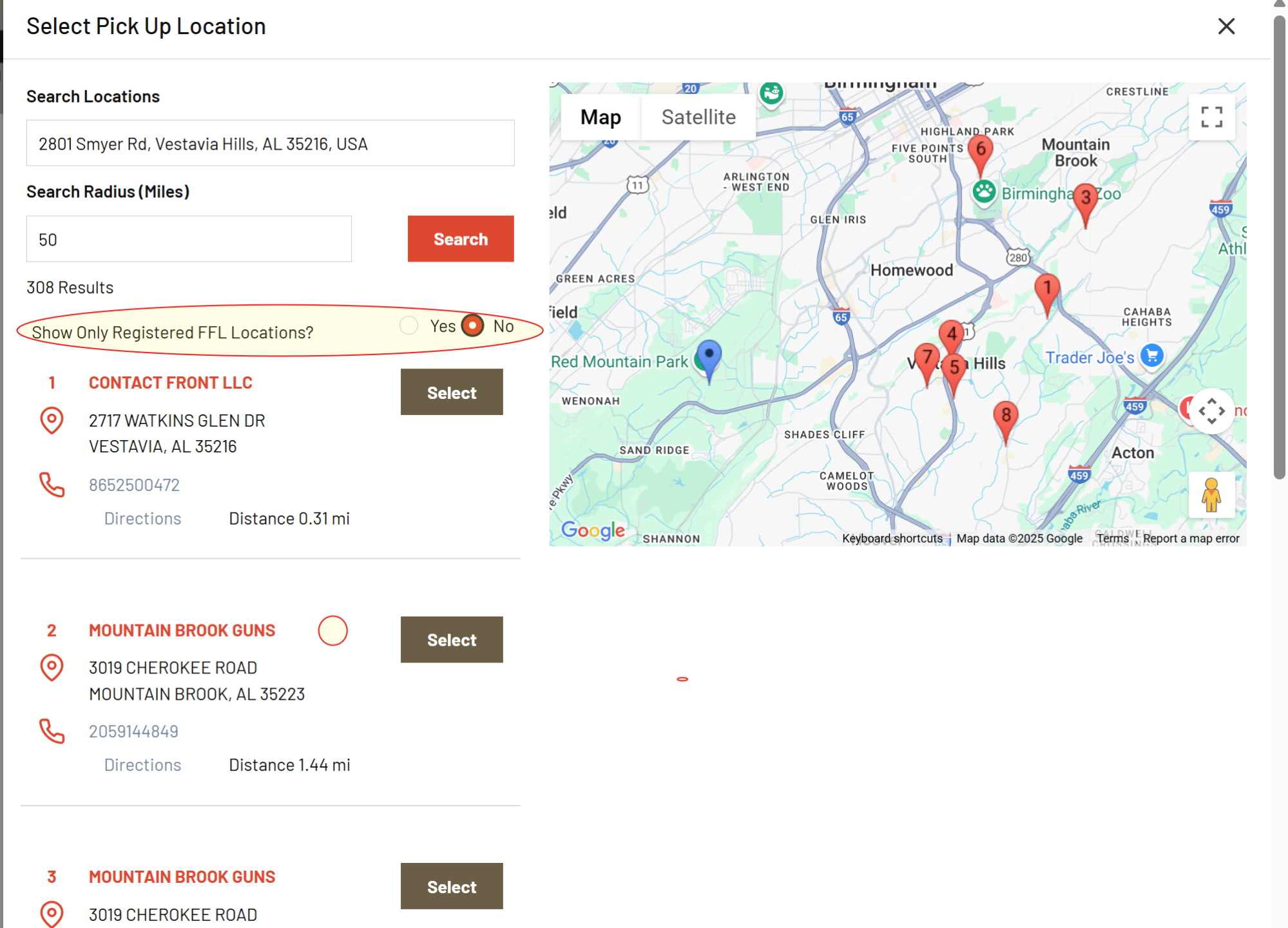
There is a do not drop ship list that is maintained for any FFL Holders that will not accept Drop Ship orders. Iron Valley maintains a “Do Not Drop Ship” list for dealers that will not accept a transfer order.
Once a location is selected, the Cart page will look like this:
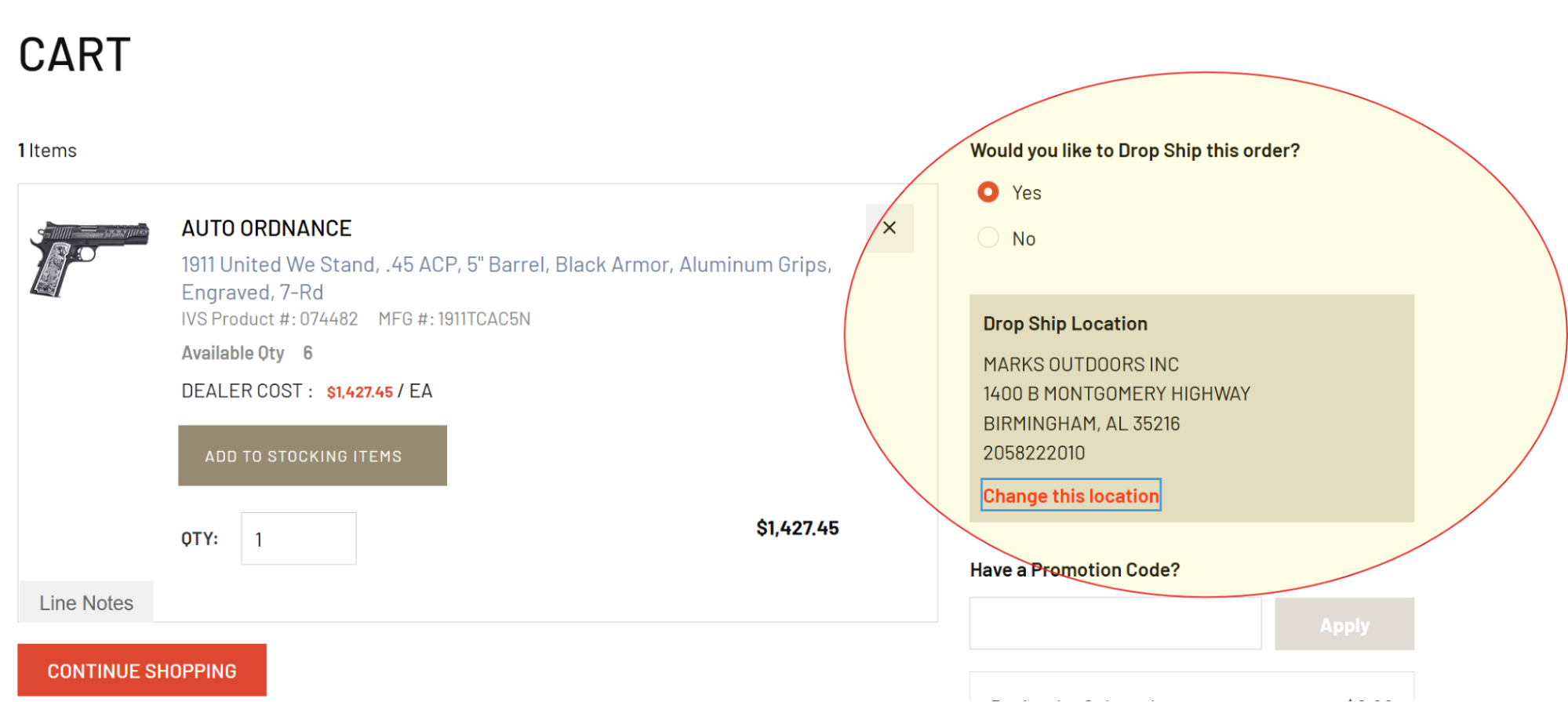
Next the user can continue to add other Firearms products to the order or simply go to “CHECKOUT” to complete their order.
The CHECKOUT page will look like this:
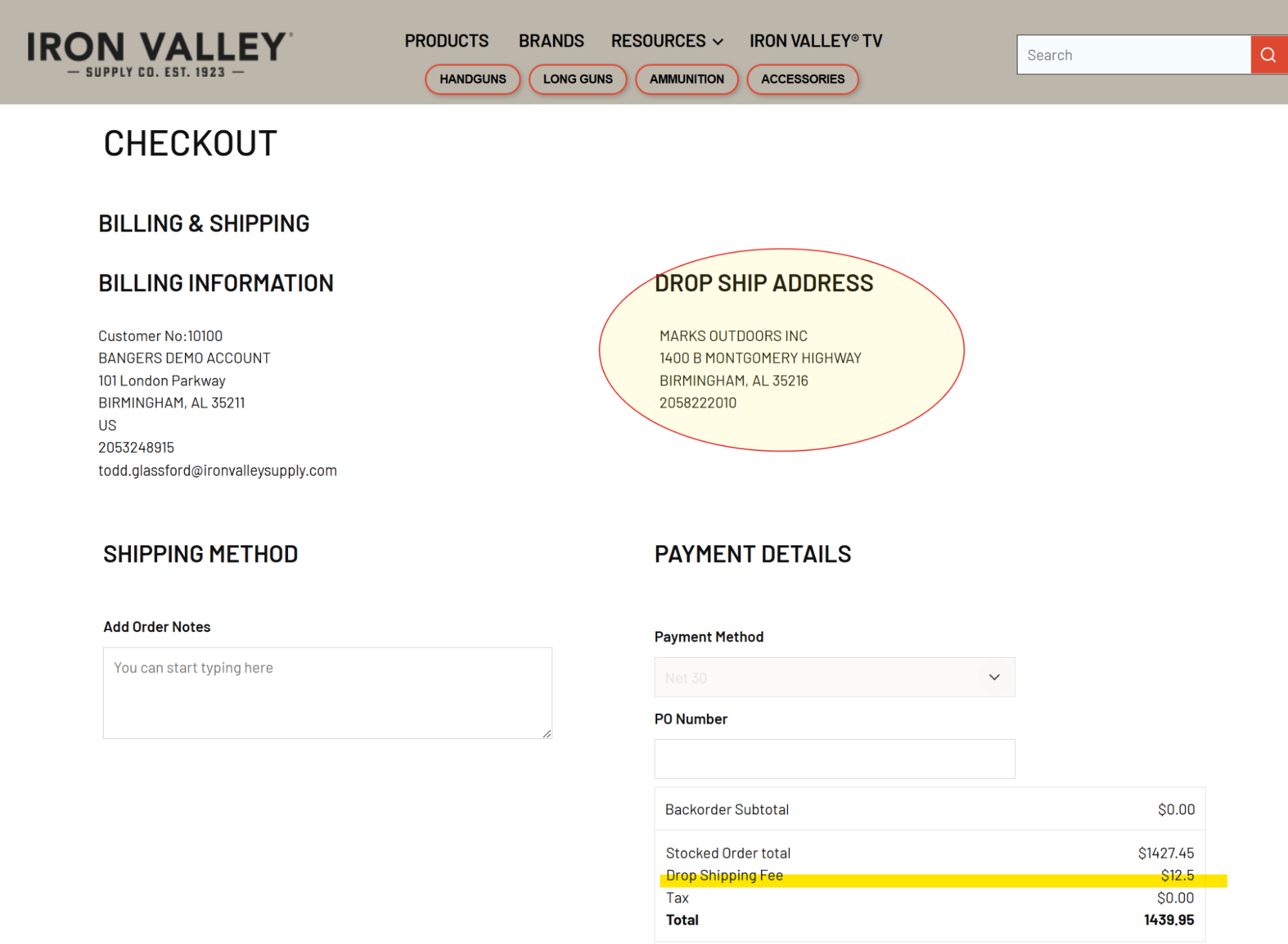
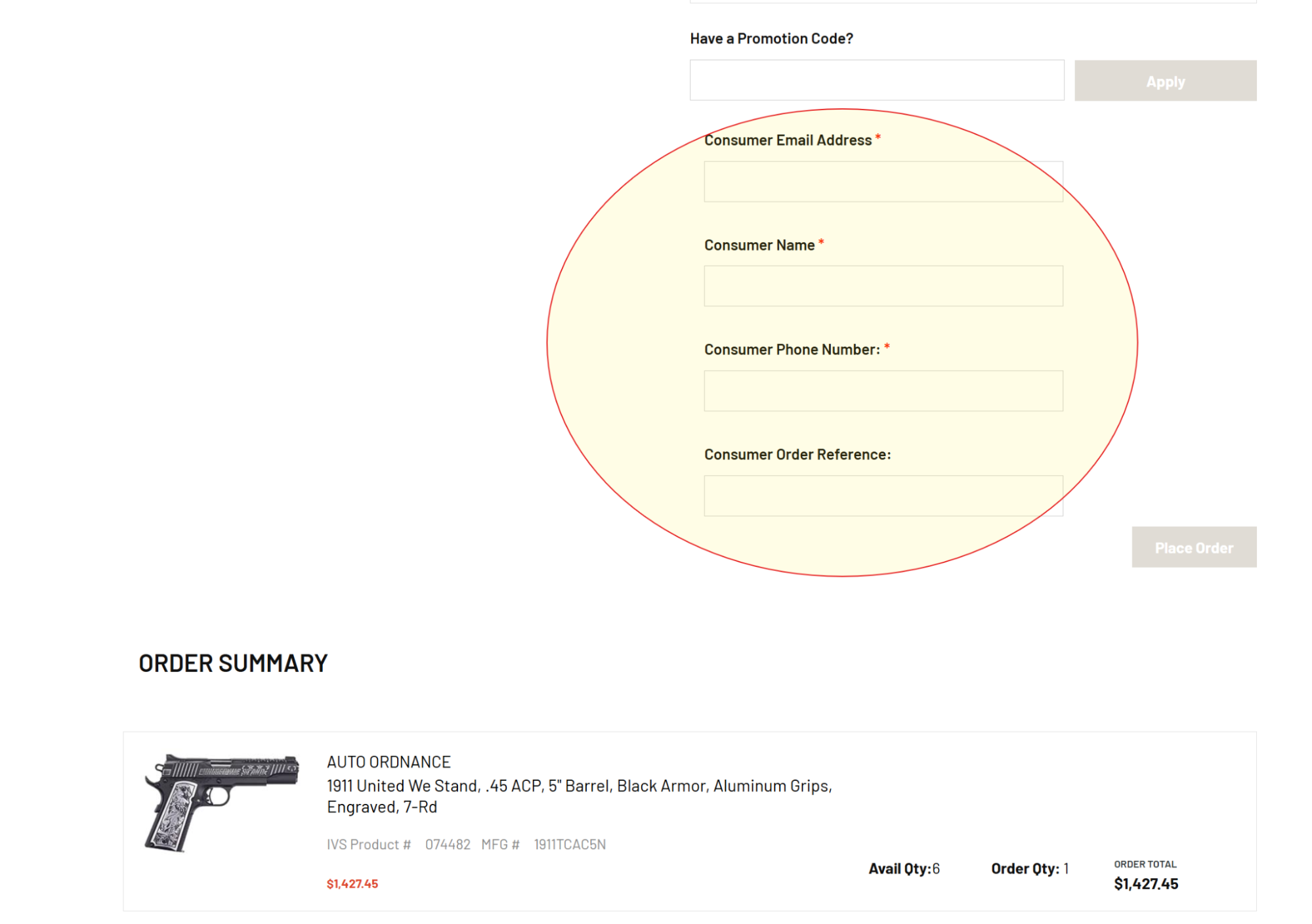
Note the Drop Ship address is displayed. And note the Drop Shipping Fee highlighted.
Also, note that there are some required fields at the bottom:
1) Consumer Email Address
2) Consumer Name
3) Consumer Phone Number
4) Consumer Order reference number
These fields are information for the receiving FFL holder. This tells them who the consumer is that will be coming to pick up the order. The first three are required. The consumer order number field is optional. That would commonly be the reference number assigned to the retail transaction from the dealers system which is typically the consumer’s order#.
Once completed, the user can click the submit button and the order will be sent to Iron Valley to be processed.
Some other Notes:
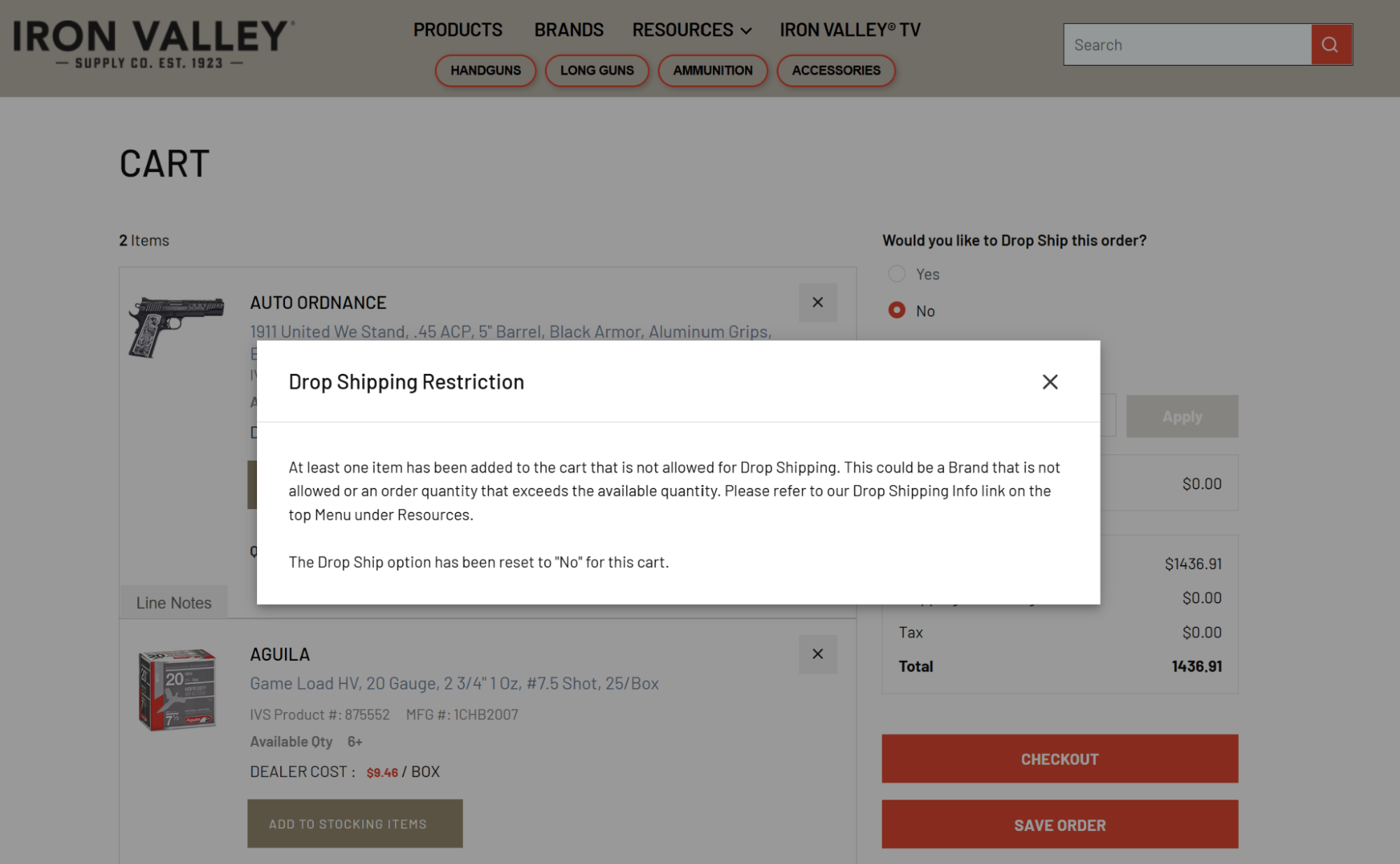
1) If the user starts an order with firearms only and selects “Yes” for Drop Ship and then proceeds to add other non-firearm products to the order, they will receive a pop up message on the Cart Page that says that an illegible item has been added to the order and the drop ship flag has been cleared.
Here is an example:
2) If the user selects any one of these functions: Save Order, Add All to List, or Remove All the “Drop Ship” flag will be reset to “No.”
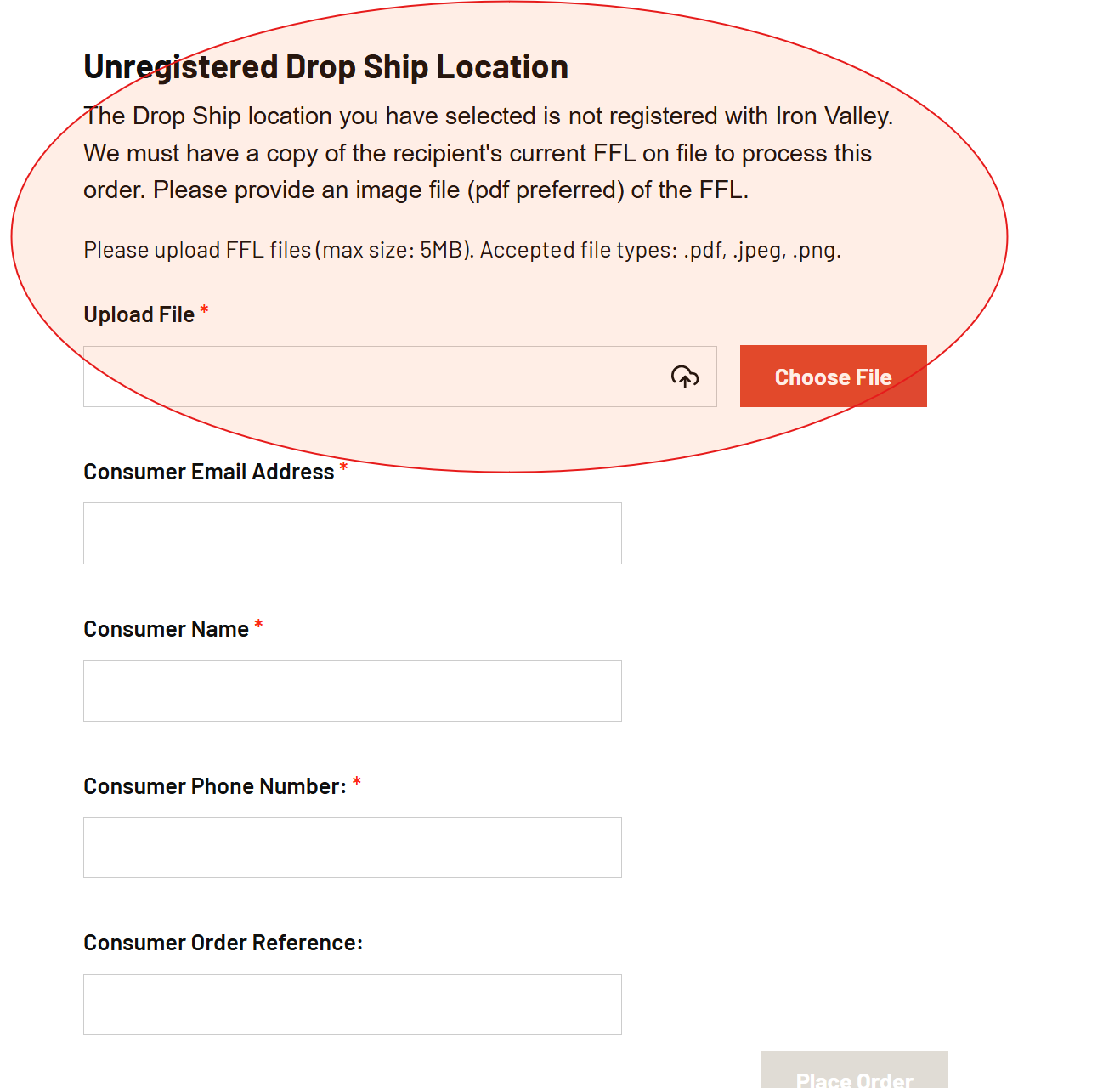
3) If the user chooses an Unregistered FFL Holder, they will be prompted to upload a copy of the FFL Holder’s FFL document. This will be a required step and the order cannot be submitted until its complete. Here is what the bottom of checkout screen looks like in such cases:
4) The packing list sent to the FFL Holder will have the Customer’s name in bold at the top left. Additionally, a document is provided for the recipient FFL Holder which contains an image of Iron Valley’s FFL and instructions in the event that there are any issues with the order.
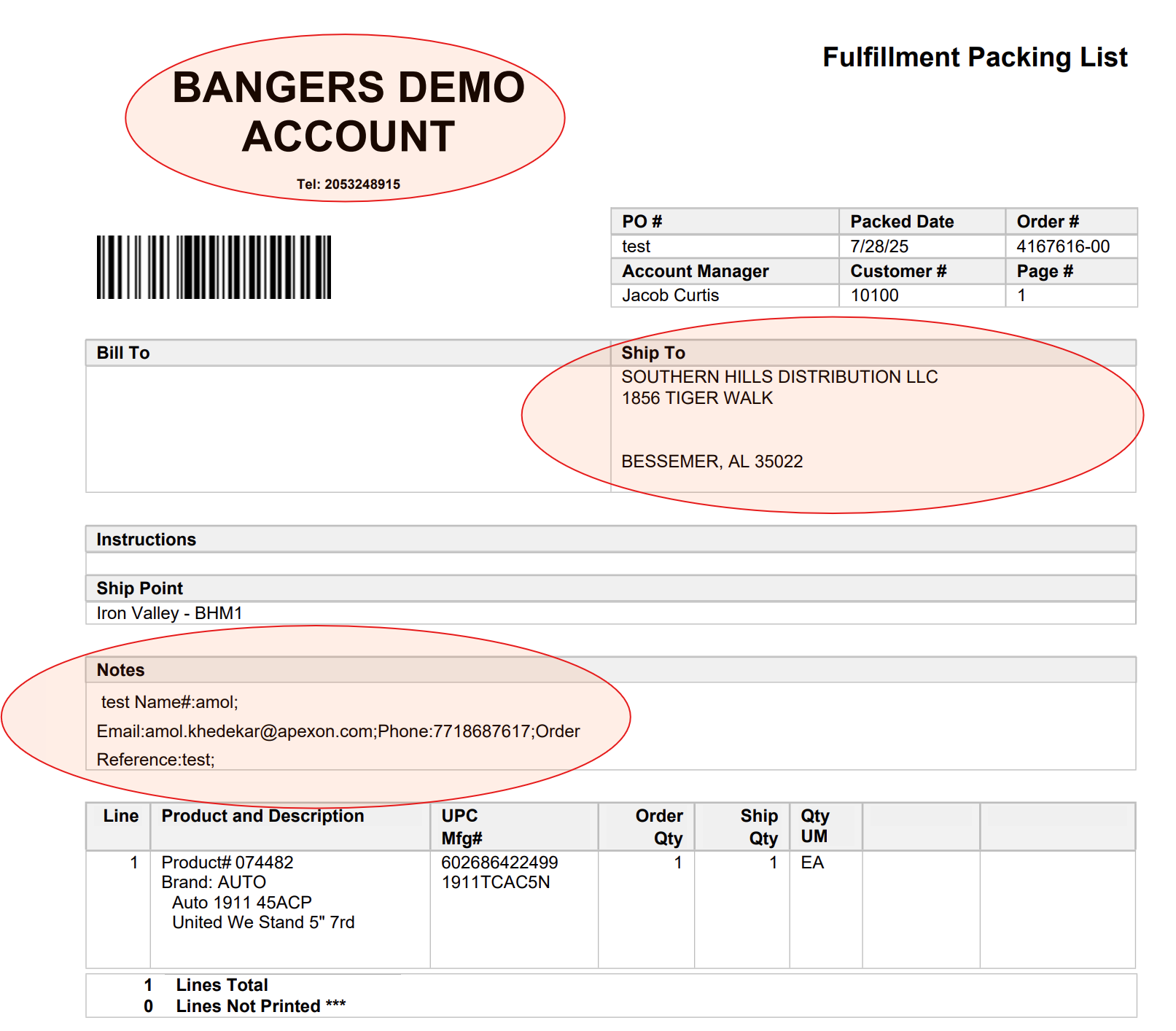
Note that the Bill to Customer Name and phone number will be printed at the top left.
The Recipient FFL Holder will be displayed in the “Ship to” box.
The Consumer information will appear in the Notes section.
There is a A&D Log document that is provided after the packing list that looks like this:
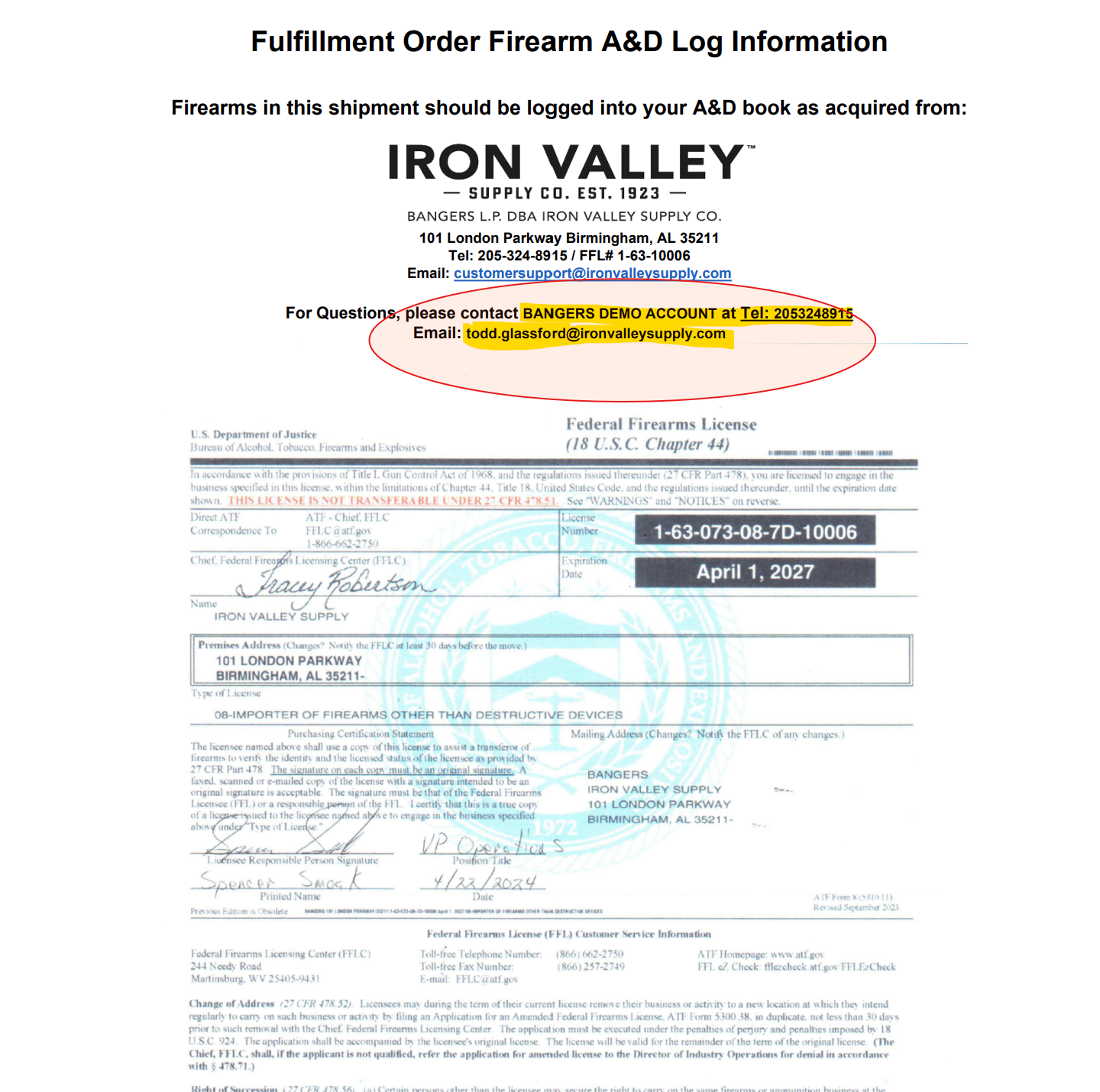
Note that the Bill To customer is listed “For Questions” as we would prefer the recipient to call the customer that placed the order rather than Iron Valley. Of course, the Iron Valley Customer Service number and email are also on this document.